
1. Two Open-Source Terminal Harnesses, One Seamless Craft
Proprietary coding assistants lock you into one cloud model and one workflow style. By combining Aider—a precision Git-first pair programmer—with Block Goose—an extensible Model Context Protocol (MCP) task orchestrator—you gain total ownership over models, context windows, version control, and repeatable team automations.
Quick Navigation
When Aider Leads vs. When Block Goose Leads
Think of Aider as your master surgical coder inside a Git working tree: it reads symbol relationships across hundreds of files via tree-sitter and PageRank, drafts tight diffs, verifies linters and unit tests, and writes clean commits. Think of Block Goose as your versatile automation orchestrator across apps and APIs: it speaks native MCP to shell tools, GitHub, databases, browsers, and desktop UI, executing multi-step YAML Recipes with strict tool-level approvals.
Architecture: Shared Project Rules Driving Two Specialized Loops
/undo protect your Git history. Reach for Block Goose when a workflow crosses boundaries—querying GitHub or databases via MCP, driving desktop or browser tools, or running repeatable team YAML Recipes.
2. Installation, Aider Edit Formats & Harness Matrix
Both Aider and Block Goose install cleanly on macOS, Linux, and Windows (WSL2 or native) without vendor lock-in. Choosing the right installation channel and Aider edit format prevents patchy diffs and wasted tokens on your very first run.
- Aider via uv (Recommended): Run
uv tool install aider-chat(orpython -m pip install aider-install && aider-install) inside an initialized Git repo. - Aider Model Prefixes: Set API keys in environment or
.env, then launch withanthropic/...,openai/...,gemini/..., or localollama_chat/.... - Goose CLI (AAIF / Block): Run
curl -fsSL https://github.com/aaif-goose/goose/releases/download/stable/download_cli.sh | bashorbrew install block-goose-cli, then rungoose configure. - Goose Desktop & Web: Pair the terminal CLI with Goose Desktop (macOS/Windows) or
goose webfor visual recipe forms and clickableactivities.
diff(Search/Replace): Default for most frontier models; replaces targeted blocks usingSEARCH/REPLACEfences so large files stay cheap.udiff(Unified Diff): Simplified unified diff syntax ideal for reasoning models like GPT-4o/o-series on multi-hunk edits across long files.whole(Full File Rewrite): Model outputs the entire updated file; reliable for smaller files or local 7B–14B Ollama models that fumble line anchors.architect+editor-diff/editor-whole: Separates free-form design reasoning from strict syntax patching across two specialized models.
aider --architect --model anthropic/claude-sonnet-4-5 --editor-model ollama_chat/qwen2.5-coder:32b --read CONVENTIONS.md2. Goose Safe Interactive / Recipe Run:
GOOSE_MODE=smart_approve goose session | goose run --recipe ./recipes/pr-audit.yaml --params branch=main
Open-Source Terminal Harness Decision Matrix
| Tool / Harness | Core Superpower | Context & Discovery | Multi-Model Routing | Safety & Undo Guardrail |
|---|---|---|---|---|
| Aider Git Pair Coder |
Surgical code diffs, IDE # AI! watch loops & atomic Git commits. |
Tree-sitter + PageRank Repo Map (/map) + explicit /add & /read-only. |
/architect planner + --editor-model + --weak-model commits. |
Instant /undo Git revert, --dirty-commits & .aiderignore. |
| Block Goose MCP Orchestrator |
General-purpose local agent running MCP tools, Desktop UI & YAML Recipes. | .goosehints, AGENTS.md, persistent memory & MCP resources. |
GOOSE_LEAD_MODEL + fast worker turns + failure fallback. |
GOOSE_MODE=smart_approve, permission.yaml & .gooseignore. |
| OpenCode TUI Agent |
Interactive Plan/Build TUI with LSP diagnostics & TypeScript plugins. | @file fuzzy search, @explore subagent & live LSP errors. |
Per-agent routing in opencode.json across 75+ providers. |
Git snapshot /undo & granular allow/ask/deny rules. |
| IDE Copilots Cursor / Continue |
Inline tab autocomplete (FIM) & visual editor diff gutters. | Open editor tabs, local embeddings & IDE workspace indexing. | Separate chat vs. autocomplete model endpoints. | Editor buffer undo; weaker headless CI or Git commit discipline. |
git status first, commit or stash unrelated human edits, or keep dirty-commits: true enabled so /undo never wipes your own unfinished work.
3. Annotated Tour: Inside Aider & Block Goose Sessions
Running Aider alongside Block Goose in split terminal panes pairs disciplined Git patching on the left with multi-tool MCP orchestration on the right. Here are the seven live controls that keep context sharp, costs low, and execution safe.
aider --architect --auto-test
Repo-map: 1.8k / 2048 tok
/add src/jwt.py, tests/test_jwt.py•
/read-only CONVENTIONS.md, docs/auth-spec.md•
/drop src/legacy_oauth.py (freed 3.2k tokens)
Editor (Qwen-32B): Applied
diff to src/jwt.py (+14/-3).Auto-Check:
ruff check ✓ • pytest -q (18 passed) ✓
Commit a4c9f1b: feat: enforce JWT skew leeway | Type /undo to revert
4
goose run --recipe audit.yaml
Lead: Opus → Worker
target_branch=main, strict=trueSub-Recipe 1:
dep-audit.yaml (isolated session ✓)Sub-Recipe 2:
secrets-scan.yaml (0 leaks found ✓)
developer__shell): Run gh pr comment 42?[1] Allow Once [2] Always Allow [3] Deny
--map-tokens) so Aider sees callers without reading every file.
/add files you want edited; pass rules or specs via /read-only and clear finished modules with /drop.
/lint and /test until checks pass.
/undo command.
developer, memory, and computercontroller tools alongside GitHub or database MCP servers.
sub_recipes.
permission.yaml Gate: GOOSE_MODE=smart_approve lets safe reads flow automatically while pausing shell mutations or external API posts for explicit confirmation.
4. Aider Mastery: Repo Map, Context Hygiene & Auto-Fix Loops
Aider earns its reputation on reliability: instead of stuffing random files into an overflowing prompt, it builds a graph-ranked map of your repository, edits only explicitly staged files, and tests every patch automatically.

/architect planner and fast editor model straight to the files that need atomic commits.
Four Habits That Make Aider Unbeatable on Real Codebases
Aider parses code into ASTs with tree-sitter and runs PageRank over cross-file symbol references. Default --map-tokens is 1024; bump to 2048–4096 on multi-package repos, inspect with /map, or pass --subtree-only in giant monorepos.
/add From /read-only
Add only the files you intend to modify via /add path/to/file. Load style guides, OpenAPI specs, or reference modules with /read-only so Aider reads them accurately without accidentally editing them, and run /drop as soon as a module is done.
/architect
Run /architect (or --architect) so a strong reasoning model proposes architectural changes in plain prose without wrestling diff syntax, while a fast --editor-model (such as a local Ollama coder or Haiku) applies exact editor-diff patches.
Run /lint on modified files or /test pytest -q inside chat—or enable --auto-lint and --auto-test. Whenever a linter warning or test traceback fires, Aider captures stdout and self-corrects before moving on.
# Launch Aider in dual-model Architect mode with read-only conventions, 2048-token Repo Map, and test auto-fix loop:
aider --architect \
  --model anthropic/claude-sonnet-4-5 \
  --editor-model ollama_chat/qwen2.5-coder:32b --editor-edit-format editor-diff \
  --read CONVENTIONS.md --map-tokens 2048 \
--lint-cmd "ruff check" --auto-lint --test-cmd "pytest -q" --auto-test/ask Before Refactoring, /code When Ready/ask (or switch temporarily out of edit mode) to interrogate the Repo Map with zero file modifications, then return to /code or /architect once the plan is crisp.
5. .aider.conf.yml, Watch Comments & the 5-Part Formula
Once your repo includes .aider.conf.yml and CONVENTIONS.md, starting Aider takes two words. Watch mode (--watch-files) turns any IDE or text editor into a live prompt canvas using inline AI! and AI? comments.
--watch-files)# ... AI!(Trigger Edit): Save a comment like// Add rate-limit retry with backoff AI!in VS Code, Neovim, or Zed. Aider modifies the code, deletes the marker, and commits cleanly.# ... AI?(Ask Without Editing): Save# Why does this deadlock under load? AI?to get an explanation right in the terminal pane without altering source files.- Zero Context Switching: Works alongside any editor, Markdown doc, or Obsidian note—ideal when spotting small bugs mid-review.
CONVENTIONS.md- 4-Layer Precedence: CLI flags override environment variables (
AIDER_*), which override repo-root.aider.conf.yml, which overrides~/.aider.conf.yml. - Persistent
CONVENTIONS.md: Listread: [CONVENTIONS.md]in YAML so Aider always obeys your typing rules, test fixtures, and error conventions read-only. - Weak Model Savings: Assign
weak-modelto a fast inexpensive model to generate Git commit messages and Repo Map summaries automatically.
The 5-Part Open-Harness Execution Formula
CONVENTIONS.md / .goosehints,
[2. Architect / Lead Plan] reasoned by a frontier model without syntax clutter,
[3. Editor / Worker Diff] patched cleanly into scoped files or MCP actions,
[4. Lint, Test & Smart Approve] verified by automated gates & human consent,
[5. Atomic Commit / Recipe] and saved as a reversible Git commit or YAML Recipe.
| Harness Stage | What It Governs | What Breaks When Skipped |
|---|---|---|
| Repo Map & Hints | Supplies real symbol names, repo conventions, and off-limits secrets. | Models hallucinate non-existent helpers or invent inconsistent patterns. |
| Architect / Lead Plan | Isolates multi-file design choices before generating line-by-line diffs. | Single-pass coding models jump into dead-end patches and waste turns. |
| Editor / Worker Diff | Uses fast, low-cost models tuned for clean diff / whole or tool calls. |
Frontier models burn 5x–10x budget rewriting boilerplate lines manually. |
| Verify & Approve | Runs /lint, /test, and smart_approve checks before acceptance. |
Silent regressions or unsafe shell side effects slip into your workspace. |
| Commit / Recipe | Records an atomic Git SHA (/undo) or reusable Goose YAML workflow. |
Broken multi-file edits tangle with human WIP and cannot be cleanly reverted. |
# .aider.conf.yml (commit to repo root so every teammate inherits identical guardrails):
model: anthropic/claude-sonnet-4-5
architect: true
editor-model: ollama_chat/qwen2.5-coder:32b
weak-model: openai/gpt-4o-mini
read: [CONVENTIONS.md]
map-tokens: 2048
watch-files: true
auto-commits: true
dirty-commits: true
auto-lint: true
auto-test: true
test-cmd: pytest -q
6. Block Goose: CLI, Desktop & Native MCP Extensions
Originally open-sourced by Block and now stewarded under the Linux Foundation’s Agentic AI Foundation (AAIF), Goose treats every capability as a standard Model Context Protocol (MCP) extension—giving you the exact same tools in CLI, Web, and Desktop.
Start interactive terminal coding via goose session, run headless jobs via goose run, launch a browser UI with goose web, or use Goose Desktop for visual extensions and clickable recipe activities.
Goose ships built-in MCP extensions—including developer, computercontroller, and memory—and lets you wire any stdio or HTTP MCP server via goose configure or goose mcp <name>.
.goosehints & AGENTS.md
Drop a .goosehints file (or AGENTS.md) into any repository root alongside global rules in ~/.config/goose/.goosehints so every Goose session starts knowing your build, test, and style rules.
Core Built-In & Ecosystem MCP Extensions for Daily Workflows
| Extension | Type / Source | What Tools It Exposes | High-Leverage Workflow |
|---|---|---|---|
developer |
Built-In MCP (Enabled Default) |
Text editor, shell execution, ripgrep search, file tree inspection. | Repository triage, test debugging, script running & multi-file automation. |
computercontroller |
Built-In MCP (Toggle in Config) |
Web scraping/browsing, PDF/Word/Excel parsing, desktop OS automation. | Extracting local reports, driving browsers & automating non-CLI apps. |
memory |
Built-In MCP (Local Persistent) |
Cross-session key/topic storage (global and project-scoped). | Remembering team conventions, preferred linters & deploy quirks. |
| GitHub / Linear | External MCP ( npx / uvx / HTTP) |
PR diffs, issue comments, CI check logs, backlog triage & labels. | Pulling failing CI context and turning issues into clean PR drafts. |
| SQLite / Postgres | External MCP (Read-Only Preferred) |
Schema inspection and parameterized read queries against staging DBs. | Validating migration indexes or diagnosing customer data anomalies safely. |
# .goosehints (place at repo root; auto-loaded by Goose CLI & Desktop at session start)
Project: payments-api (Python 3.12 + FastAPI + SQLAlchemy).
- Always run "uv run pytest -q" and "uv run ruff check" before reporting a task complete.
- Never modify Alembic migration files already merged to main; create a new revision instead.
- Check docs/openapi.yaml before changing any /v1/webhook response schema.

# Launch an ad-hoc Goose CLI session with extra built-in or custom MCP extensions:
goose session --with-builtin "developer,memory" --with-extension "uvx mcp-server-git"goose mcpgoose mcp computercontroller (or inspect ~/.config/goose/config.yaml) to boot and verify an extension standalone before blaming your prompt or recipe.
7. YAML Recipes, Sub-Recipes & Lead/Worker Routing
Once a multi-step MCP workflow clicks, freeze it into a versioned Goose YAML Recipe. Recipes lock down exact extensions, typed parameters, isolated sub_recipes, and Lead/Worker model routing—and share cleanly across teams via goose:// deeplinks.
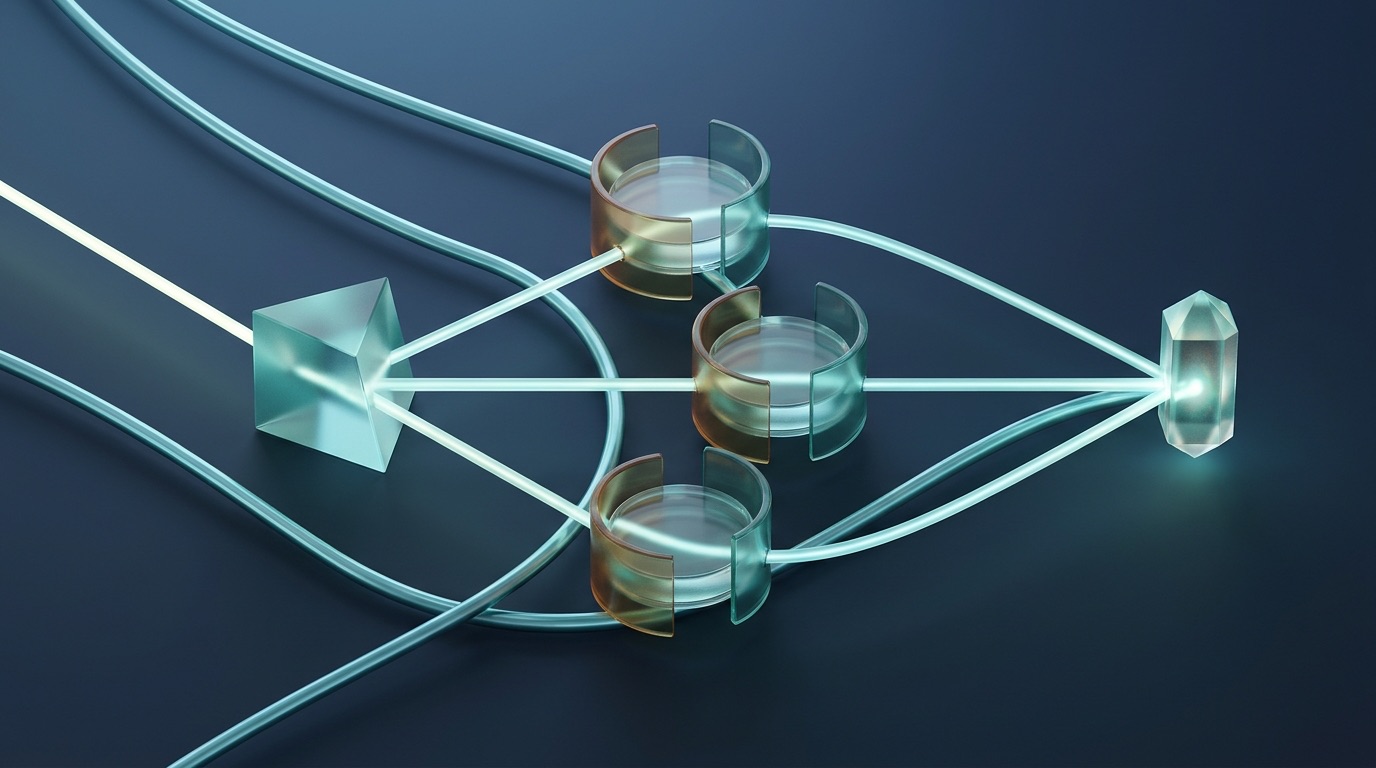
sub_recipes so worker sub-sessions never bloat the parent context window, then merges verified results safely.
- Typed
parameters: Definekey,input_type(string,number,boolean,date,file,select), andrequirement(required,optional,user_prompt), interpolated via{{ key }}. - Isolated
sub_recipes: Delegate parallel audits or clean-room subtasks without polluting parent chat memory. - Validate & Share: Run
goose recipe validate file.yaml, execute viagoose run --recipe, or mint a clickable Desktop link withgoose recipe deeplink file.yaml.
- Smart Handoff: Set
GOOSE_LEAD_MODEL(plusGOOSE_LEAD_PROVIDER) for planning while your configured fastGOOSE_MODELexecutes routine tool steps. GOOSE_LEAD_TURNS: Controls how many opening turns the Lead model directs architecture before handing execution to the worker.- Auto-Rescue Thresholds: Set
GOOSE_LEAD_FAILURE_THRESHOLD(e.g.,2errors) andGOOSE_LEAD_FALLBACK_TURNSso the Lead model automatically steps back in whenever the worker gets stuck.
version: "1.0.0"
title: "PR Security & Dependency Audit"
description: "Runs isolated dependency and secret checks against a target branch."
parameters:
  - key: target_branch
    input_type: string
    requirement: optional
    default: "main"
    description: "Git branch or tag to diff against"
instructions: |
  Diff current changes against {{ target_branch }}, invoke both sub-recipes, and return a concise Markdown risk report.
extensions:
  - type: builtin
    name: developer
    timeout: 300
sub_recipes:
  - name: "dep_audit"
    path: "./subrecipes/dep-audit.yaml"
  - name: "secrets_scan"
    path: "./subrecipes/secrets-scan.yaml"
8. 5 Real-World Copy-Paste Harness Recipes
Drop these proven recipes straight into your terminal, .aider.conf.yml, or .goose/recipes/ directory to standardize quality across feature builds, zero-switch refactors, PR release digests, security sweeps, and bug triage.
| Recipe & Use Case | Copy-Paste Command or YAML / Prompt Spec | Guardrail & Output |
|---|---|---|
| 1. Dual-Model Feature Aider Cost + Quality |
aider --architect --model anthropic/claude-sonnet-4-5 --editor-model ollama_chat/qwen2.5-coder:32b --edit-format editor-diff --read CONVENTIONS.md |
Frontier design + $0 local diffs + clean atomic Git commit. |
| 2. IDE Watch Triage Zero-Switch Editing |
aider --watch-files --auto-lint --auto-test --test-cmd "pytest -q" → save inline # Validate expiry & return 401 AI! or # Explain flow AI? in editor. |
Auto-strips AI! marker, verifies pytest & commits. |
| 3. PR Release Digest Goose GitHub MCP |
goose run --recipe ./recipes/release-notes.yaml --params since_tag="v2.4.0" — queries github-mcp merged PRs & groups Features, Fixes, and Breaking Changes. |
Read-only smart_approve + structured Markdown changelog. |
| 4. Parallel Sub-Audits Goose Sub-Recipes |
Parent YAML calls isolated sub_recipes (dep-audit.yaml, secrets-scan.yaml, license-check.yaml) and aggregates JSON findings into one PR checklist. |
Zero parent context bloat; deterministic pass/fail gate. |
| 5. Goose → Aider Fix Issue to Verified PR |
Step 1: Goose pulls CI traceback via MCP and writes repro test. Step 2: aider --yes --auto-test --message "Fix failing test_auth_refresh" src/auth.py tests/test_auth.py |
Combines cross-tool discovery with reversible Git commit. |
# Validate, execute with parameters, and generate a clickable Goose Desktop deeplink for teammates:
goose recipe validate ./recipes/pr-audit.yaml
goose run --recipe ./recipes/pr-audit.yaml --params target_branch="release/2.5"
goose recipe deeplink ./recipes/pr-audit.yaml -p target_branch="main"

# Set Lead/Worker environment routing before launching Goose CLI on complex multi-step tasks:
export GOOSE_PROVIDER=openai GOOSE_MODEL=gpt-4o-mini
export GOOSE_LEAD_PROVIDER=anthropic GOOSE_LEAD_MODEL=claude-sonnet-4-5
export GOOSE_LEAD_TURNS=3 GOOSE_LEAD_FAILURE_THRESHOLD=2 GOOSE_LEAD_FALLBACK_TURNS=2.goose/recipes/).aider.conf.yml, CONVENTIONS.md, .goosehints, and .goose/recipes/*.yaml straight into your repository so new engineers inherit your best workflows on clone.
--yes After Dry Runsaider --yes or GOOSE_MODE=auto into scripts on day one. Run every new workflow interactively first to tune file scopes, ignore rules, and test assertions.
9. Git Commit Safety, Permission Modes & Team Guardrails
Autonomous terminal agents hold real keys to your filesystem, Git history, and external MCP APIs. Pairing Aider’s clean commit isolation with Goose’s risk-tiered GOOSE_MODE and permission.yaml policies keeps experimentation fearless and auditable.
dirty-commits: true+/undo: Commits any dirty human edits in their own commit first so AI changes land on a clean SHA that/undoreverts safely.- Commit Attribution: Configure
attribute-authorandattribute-committerflags in.aider.conf.ymlso code reviewers see AI-coauthored commits clearly. .aiderignoreShield: Block.env*, private keys, certificates, and bulkynode_modules/ordist/builds from ever entering the Repo Map or chat.
GOOSE_MODE & Tool Tiers- Four Macro Modes: Choose
chat(zero tools),approve(ask before every write/shell),smart_approve(auto-allow safe reads, prompt on risky writes), orauto(unattended—sandbox only!). permission.yamlRules: Pin individual MCP tools underalways_allow,ask_before, ornever_allowinside~/.config/goose/config/permission.yaml..gooseignoreShield: Uses gitignore syntax to block Goose from reading.envsecrets, credentials, or sensitive customer exports.
Security & Autonomy Control Matrix for Engineering Teams
| Safety Boundary | Aider Mechanism | Block Goose Mechanism | Recommended Default |
|---|---|---|---|
| Secret & File Exclusion | .aiderignore + /read-only protection |
.gooseignore + read-only MCP scopes |
Ignore .env*, *.pem, secrets/ |
| Shell & Write Approval | Prompts before running /run commands; scoped /add |
GOOSE_MODE + permission.yaml per tool |
smart_approve + ask_before shell |
| Change Rollback | Atomic Git commit per turn + instant /undo |
Git status diff + approve pre-write review |
Always work on a feature branch |
| Model & Token Spend | /tokens budget, /drop, --architect split |
GOOSE_LEAD_MODEL + isolated sub_recipes |
Frontier Lead + cheap/local Worker |
# ~/.config/goose/config/permission.yaml — Safe team workstation defaults (paired with GOOSE_MODE=smart_approve):
user:
  always_allow:
    - memory__remember
  ask_before:
    - developer__shell
    - developer__text_editor
    - github-mcp__create_pull_request
  never_allow:
- computercontroller__system_shutdownGOOSE_MODE=auto With Untrusted Web or Issue Datacomputercontroller or reads public GitHub issue bodies via MCP, hidden text inside untrusted inputs can attempt prompt injection. Keep GOOSE_MODE=smart_approve (or explicit ask_before on developer__shell) whenever external data enters the session.
10. Cross-Tool Synergy: Goose Orchestration + Aider Commits
Instead of forcing one tool to do everything poorly, chain Block Goose and Aider across four crisp stages: Goose gathers cross-app evidence via MCP, Aider writes tested Git commits inside strict file scopes, and Goose ships verified PRs and reusable team recipes.
Four-Step Daily Execution Loop
Let Goose pull issue comments, database schemas, or failing CI logs via MCP, then distill findings into a focused spec file (specs/task.md) before touching production code.
Add specs/task.md and CONVENTIONS.md via /read-only, /add only the modules to modify, and verify callers through the tree-sitter Repo Map and /architect.
Let the editor model apply clean diff patches (or respond to # AI! watch markers), verify green /lint and /test runs, and keep or /undo each commit cleanly.
Hand final checks back to Goose sub_recipes (browser smoke checks via computercontroller, PR updates via MCP), and export repeatable steps with goose recipe deeplink.
CONVENTIONS.md and .goosehints (or Goose’s memory extension) so neither harness makes the same mistake twice.
11. Troubleshooting Clinic & Pre-Flight Checklist
Keep this clinic handy whenever Aider hallucinates out-of-scope symbols, local models break diff syntax, watch markers get ignored, or Goose MCP servers and YAML Recipes need a quick diagnostic check.
| Symptom / Issue | Root Cause | 10-Second Fix |
|---|---|---|
| 1. Aider misses callers or invents wrong function names | --map-tokens too tight, or target files weren’t added via /add or /read-only. |
Run /map to inspect coverage, raise --map-tokens 2048 (or 4096), and add reference headers with /read-only. |
2. Local Ollama model mangles diff patches |
Small/mid local coders struggle with strict SEARCH/REPLACE fencing. |
Pass --edit-format whole for small files, or pair a frontier --architect model with --editor-edit-format editor-whole. |
3. /undo refuses or entangles human WIP |
Dirty uncommitted edits in Git mixed with AI patches, or --no-auto-commits set. |
Enable dirty-commits: true and auto-commits: true in .aider.conf.yml, or commit WIP before starting Aider. |
4. --watch-files ignores # AI! comments |
Comment syntax missing trailing AI!/AI?, or file matched .aiderignore. |
End comment cleanly with AI! (edit) or AI? (question), save the file, and verify path is not excluded in .aiderignore. |
| 5. Goose MCP extension fails or times out | Missing npx/uvx binary on PATH, bad env var, or default timeout too short. |
Test standalone with goose mcp <name>, check ~/.config/goose/config.yaml, and set timeout: 300 on slow servers. |
| 6. Goose runs shell commands without asking | Session launched in GOOSE_MODE=auto instead of gated approval. |
Set export GOOSE_MODE=smart_approve (or /mode approve live) and place developer__shell under ask_before in permission.yaml. |
| 7. YAML Recipe params fail or Lead/Worker loops | Missing key/requirement match or low GOOSE_LEAD_FAILURE_THRESHOLD. |
Run goose recipe validate file.yaml, verify {{ param }} names match parameters[].key, and tune GOOSE_LEAD_FAILURE_THRESHOLD=2. |
6-Point Open-Harness Production Pre-Flight Checklist
git status is clean and commit .aiderignore + .gooseignore covering .env* and keys.CONVENTIONS.md and .goosehints (or AGENTS.md) synced at the repo root./architect with --editor-model in YAML config and set GOOSE_LEAD_MODEL for complex jobs.--lint-cmd and --test-cmd so every Aider commit passes deterministic verification.GOOSE_MODE=smart_approve and pin risky MCP write/shell tools under ask_before in permission.yaml.goose recipe validate on every YAML workflow and share parameterized goose:// deeplinks with teammates.