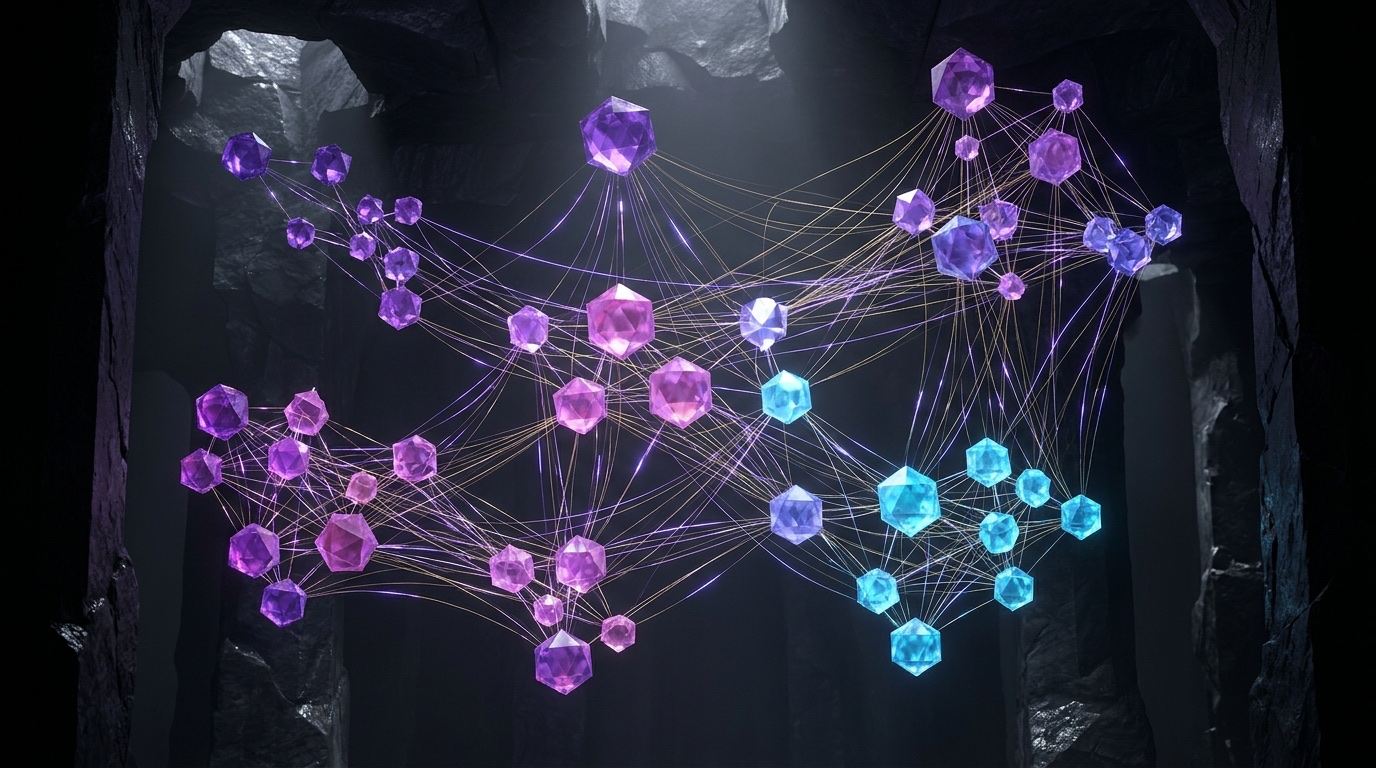
1. Why Grep & Vector Chunks Miss Architectural Structure
Without a structural map, an AI coding agent treats every architectural question like a blind scavenger hunt: grep tells it where a symbol appears, and chunked vector search finds paragraphs that sound similar—neither knows how five modules and two design docs actually connect.
Quick Navigation
GRAPH_REPORT.mdPart 4
10. Cross-Tool Memory Synergy PipelinePart 10
5. Obsidian Setup & Safe Vault PatternsPart 5
11. Troubleshooting & Pre-Flight CheckPart 11
6. Three Levels of AI Agent IntegrationPart 6
Three Tools, Three Jobs: One Shared Map
Graphify is the librarian: it parses code via tree-sitter and extracts concepts from Markdown, PDFs, and diagrams into an in-process NetworkX graph (graph.json, GRAPH_REPORT.md, and graphify-out/obsidian/)—no Neo4j server required. Obsidian is the visual map room where every node becomes a [[wikilink]] note and spatial Canvas. Your AI Agent (Claude Code, Cursor, Codex, Antigravity, Gemini CLI) is the researcher that queries the catalog via MCP before opening raw files.
Architecture: The Shared Human–Agent Knowledge Graph Loop
EXTRACTED (proven directly in AST imports, function calls, or explicit citations), INFERRED (reasoned semantically by the model across docs/code), or AMBIGUOUS (conflicting signals surfaced deliberately). Teaching your agent to cite these tags separates hard dependency truth from plausible architectural hunches.
2. Installation, Extraction Modes & Decision Matrix
Graphify runs locally on Python 3.10+ (NetworkX + tree-sitter + graspologic) without external servers or Docker containers, and installs as a native skill across Claude Code, Cursor, Codex, Antigravity, Gemini CLI, Copilot CLI, OpenCode, and Aider.
1. Install graphify & Register the Agent Skill (60 Seconds)
PyPI Package Note: On PyPI the package is published as graphifyy (double y), while the CLI command and skill are graphify and /graphify. Prefer pipx or uv to avoid externally-managed-environment errors:
# Recommended isolated CLI install (pipx or Astral uv) + skill registration:
pipx install graphifyy && graphify install    # or: uv tool install graphifyy && graphify install
graphify --help                               # verify --update, --watch, --mcp, --wiki flags
# Fallback manual skill install (if installing skill directly without global CLI):
mkdir -p ~/.claude/skills/graphify && curl -fsSL \
  https://raw.githubusercontent.com/safishamsi/graphify/v1/skills/graphify/skill.md -o ~/.claude/skills/graphify/SKILL.md
2. Two Extraction Passes: Deterministic AST vs. Multimodal Semantic LLM
Parses .py, .ts, .js, .go, .rs, .java, .c, .cpp, .rb, .cs, .kt, .scala, and .php locally via tree-sitter AST + call-graph resolution. Produces high-confidence EXTRACTED edges in seconds and runs 100% LLM-free inside --watch mode.
Extracts concepts, citations, and INFERRED bridges across .md/.rst notes, .pdf papers, and .png/.jpg/.webp whiteboard diagrams via vision + LLM. Add --mode deep for denser cross-domain inference, or pull external URLs via /graphify add <url>.
3. Memory Architecture Decision Matrix: Choosing the Right Tool
| Memory Layer | Questions It Answers Best | Setup & Runtime Cost | Primary Blind Spot |
|---|---|---|---|
Plain AGENTS.md / CLAUDE.md |
Build/test commands, coding laws, and static folder map (≤300 lines) | Zero dependencies; loaded in every prompt prefix | Cannot map hundreds of live call chains or evolving note links |
| Vector RAG / Semantic Search | “Find prose passages or snippets semantically similar to X” | Embedding index + vector store; chunk updates | Chunking slices relationships; blind to 3-hop dependency paths |
| Graphify + Obsidian + MCP | “What connects A to B?”, blast radius, God Nodes & visual review | Local files only (graph.json); <50ms MCP queries |
Stores topology, not full line-by-line bodies (read target file next) |
| Enterprise Graph DB (Neo4j) | Millions of live production records & multi-tenant Cypher analytics | Running DB server/container + schema ops | Heavyweight overkill for repo/vault scale (export later via --neo4j) |
--update./src or a Karpathy-style ./raw drop-folder), then use --update so the graphify-out/cache/ SHA256 store skips every unchanged file forever after.
3. Annotated Tour: Obsidian + Graphify Knowledge Vault
Every build generates graphify-out/obsidian/—one Markdown note per node, YAML frontmatter, [[wikilink]] edges, and a spatial Canvas. Here is how human notes, quarantined graph snapshots, Leiden cluster colors, and God Nodes coexist safely.
node_type: "class" • community: 3 ("PaymentsCore") • degree: 34
source_path: "src/billing/orchestrator.ts"
---
• calls → [[StripeWebhookValidator]] EXTRACTED
• dispatches → [[RetryBackoffWorker]] EXTRACTED
• implements → [[ADR-014-Idempotency]] INFERRED
• overlaps → [[LegacyInvoiceQueue]] AMBIGUOUS
BillingOrchestrator (deg 34)2.
AuthSessionGuard (deg 29)• 18 Backlinks citing this node
Numbered Workspace Reference
_graphify/): Holds the generated vault snapshot in one isolated, replaceable folder so refreshes never touch human notes.GRAPH_REPORT.md): Summarizes God Nodes, surprising cross-type bridges, and 4–5 high-leverage starter questions..canvas): Infinite 2D board laying out Leiden clusters spatially so subsystem architecture is obvious at a glance.node_type, community, degree, and source_path for live SQL-style Dataview tables.[[Wikilinks]]: Every edge becomes a clickable Obsidian link paired with its EXTRACTED, INFERRED, or AMBIGUOUS badge._graphify/00-Architecture/, Projects/) edited only by you; 2) Agent drop-box (_inbox/) where MCP agents write synthesis notes; and 3) Read-only snapshot (_graphify/) replaced cleanly on every sync.
4. Building Your First Graph & Reading GRAPH_REPORT.md
Whether you point Graphify at a polyglot repository or Andrej Karpathy's raw/ drop-folder of research papers, tweets, and screenshots, one command distills scattered files into six persistent artifacts inside graphify-out/.
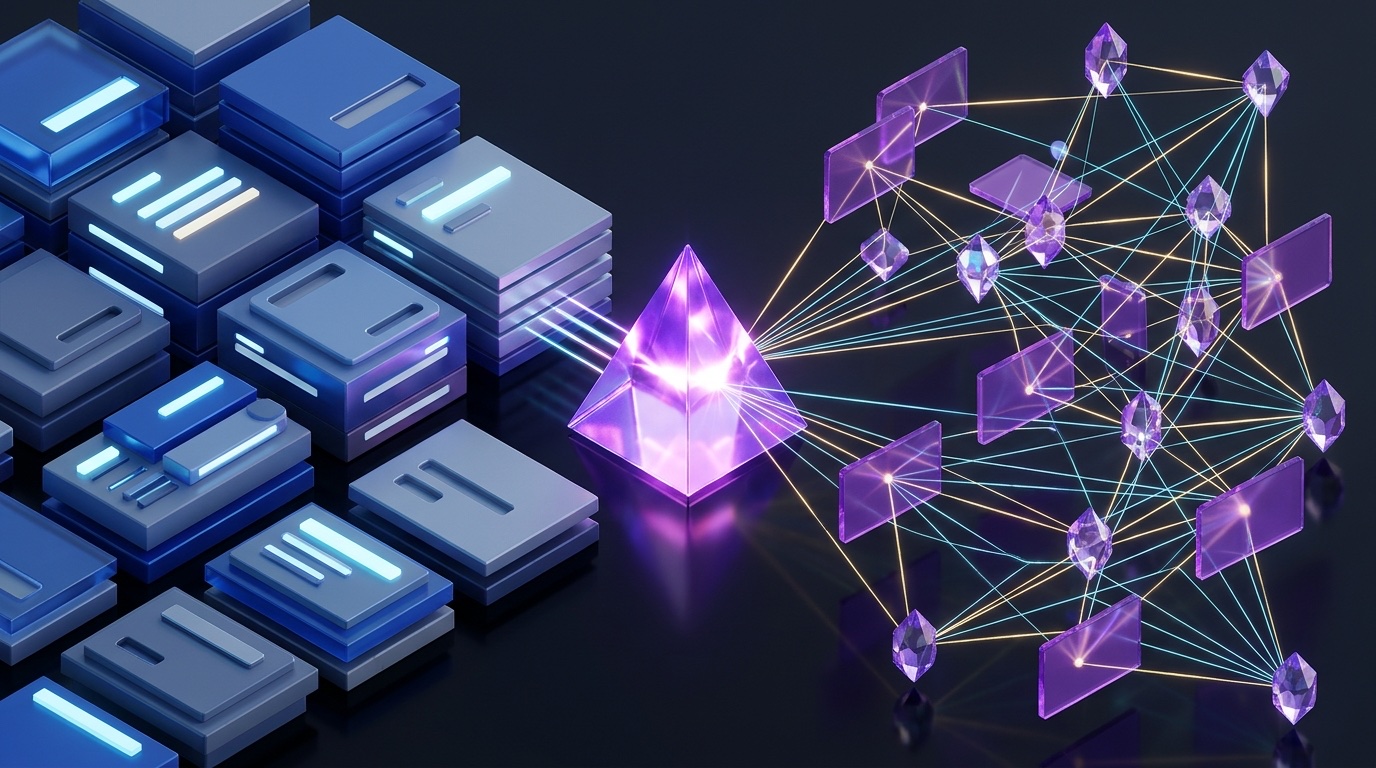
Code ASTs, Markdown notes, PDFs, diagrams & fetched URLs.
tree-sitter + LLM/vision + Leiden community clustering.graph.json, GRAPH_REPORT.md & obsidian/ vault.Essential Build & External Feed Commands
# 1. Graph current repo (or ./raw drop-folder)
/graphify .
/graphify ./raw --mode deep   # richer INFERRED links

# 2. Fast SHA256 incremental update
/graphify . --update

# 3. Pull external papers or threads straight in
/graphify add https://arxiv.org/abs/1706.03762
/graphify add https://x.com/karpathy/status/...

# 4. Optional wiki, SVG, Gephi & Neo4j exports
/graphify . --wiki --svg
Inside graphify-out/
GRAPH_REPORT.md: Executive architecture briefing—always read this file first.graph.json: Persistent serialized graph queried weeks later with zero file re-reads.obsidian/: Turnkey vault with node notes, YAML frontmatter,[[wikilinks]], and Canvas.graph.html: Zero-install interactive browser viewer (click, search, filter clusters).wiki/: Agent-crawlable Wikipedia-style articles +index.md(with--wiki).cache/: SHA256 hashes ensuring--updateskips unchanged files.
How to Read GRAPH_REPORT.md in 90 Seconds
Lists highest-degree hubs that everything routes through (e.g., core domain models or central routers). Hand these 5 files to any new engineer or agent first.
Auto-detected clusters via graspologic Leiden partitioning expose your true coupling boundaries—even when legacy folder hierarchies say otherwise.
Highlights highest-scoring cross-type edges (code ↔ paper or cross-module leaks) with plain-English explanations plus 4–5 tailored agent prompts.
5. Obsidian Setup & Safe Vault Merge Patterns
Because graphify-out/obsidian/ is regenerated as a point-in-time snapshot whenever code or notes change, choosing your vault integration pattern upfront prevents accidental overwrites while making large graphs effortless to browse.
1. Pick One of Four Vault Integration Patterns Before Importing
| Integration Pattern | How It Works on Disk | Best Fit & Safety Profile |
|---|---|---|
| 1. Standalone Vault Zero-Touch Isolation |
Obsidian → Open folder as vault → select <repo>/graphify-out/obsidian/ directly. |
Safest 60-second start for codebase exploration; zero contact with personal notes. |
| 2. Quarantine Subfolder ★ Recommended Default |
Sync graphify-out/obsidian/ into <MainVault>/_graphify/. Filter Graph View with path:_graphify. |
Unifies code/research graph with your daily Second Brain in one cleanly deletable folder. |
| 3. Selective Harvest Curated Promotion |
Review _graphify/, then copy or promote only proven, high-signal concept notes into permanent folders. |
Ideal for noisy 1,000+ node graphs where only 30 core architectural concepts merit permanent notes. |
| 4. Taxonomy Redistribution Advanced Merge |
Agent or vault-promote workflow files nodes directly into PARA / ACE folders alongside human notes. |
Use only after tuning extraction quality and backing up your vault in Git or Obsidian Sync. |
2. Mastering Graph View Color Groups, 2-Hop Local Graph & Plugins
- Prefer Local Graph over Global: Open any God Node, press
Cmd/Ctrl + P→ Open local graph, and set Depth = 2 to inspect clean 2-hop blast radii. - Color Groups: Under Graph View → Groups, assign distinct hues to
path:_graphify,path:00-Architecture,path:_inbox, or Leiden tags (tag:#community-1). - Walk via Canvas & Backlinks: Start on the exported
.canvascommunity map, then step node-by-node through the right-hand Backlinks pane.
- Dataview (Essential): Turns YAML frontmatter into live audit tables (e.g., list every
AMBIGUOUSorINFERREDedge in Community 2). - Local REST API (Essential for Write-Back): Hosts the localhost MCP endpoint so agents read/write vault notes directly.
- Templater + Excalidraw (Optional): Enforce YAML schemas on agent notes, and sketch architecture diagrams that Graphify's vision pass folds back into the graph!
Dataview Audit Snippet: Surface Uncertain Edges Instantly
TABLE community, node_type, source_path FROM "_graphify"
WHERE contains(edge_confidence, "INFERRED") OR contains(edge_confidence, "AMBIGUOUS")
SORT degree DESC LIMIT 15graphify-out/obsidian/ into _graphify/ overwrites every file inside that subfolder. Whenever you want to enrich a node with handwritten team context, move or copy that note out to a permanent folder first—Obsidian automatically updates [[wikilinks]] across your vault!
6. Three Levels of AI Agent Integration
A knowledge graph saves zero tokens if your coding agent forgets it exists and falls back to recursive grep. Wire your agent across three progressive levels—from interactive slash queries up to sub-50ms in-memory MCP traversal.
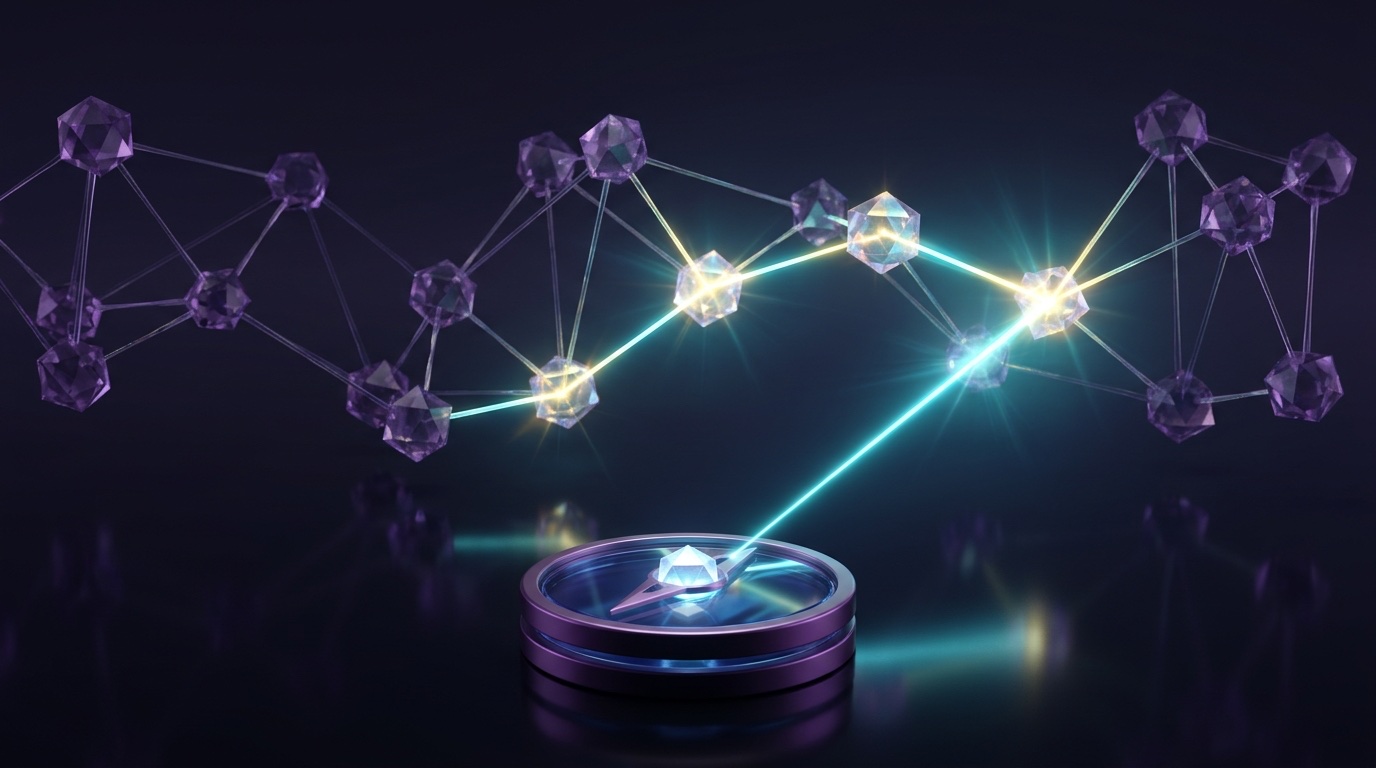
/graphify query, path & explain on demand.30-second rule making graph-first the default habit.
find_path & get_neighbors in <50ms RAM.Level 2 Blueprint: High-Signal AGENTS.md / CLAUDE.md Graph Block
[2. GRAPH-FIRST TRIGGER] Before grepping or reading >3 files for architecture, blast-radius, or “what connects X to Y” tasks, query the graph FIRST.
[3. TOOL PRECEDENCE] Prefer MCP tools (find_path, get_neighbors, god_nodes) or /graphify path; read raw source ONLY for narrowed target files.
[4. HONESTY CITATION] Cite EXTRACTED vs INFERRED vs AMBIGUOUS tags in plans; verify INFERRED/AMBIGUOUS links in code before editing.
[5. VAULT BOUNDARY] Never modify generated files inside _graphify/; write agent synthesis notes exclusively into _inbox/ with YAML frontmatter.
Level 3 Comparison: Built-In graphify.serve vs. graph-query-mcp
| MCP Server | Registration & Environment | Callable Tools & Key Advantage |
|---|---|---|
| Built-In Graphify MCP Zero Extra Install |
claude mcp add graphify -- python -m graphify.serve /abs/path/graphify-out/graph.json (or /graphify ./ --mcp) |
query_graph, get_node, get_neighbors, get_community, god_nodes, shortest_path, graph_stats. Ships inside graphifyy. |
graph-query-mcpVault Companion |
/plugin marketplace add adelaidasofia/graph-query-mcp; set GRAPH_JSON_PATH (+ SECONDARY_GRAPH_JSON_PATH; MYCELIUM_NO_PING=1 opts out of install ping). |
search_nodes, find_path, get_neighbors, get_top_nodes, query_subgraph, get_community_members. RAM pre-load (<50ms) + dual-vault scope! |
7. Two-Way Obsidian Read/Write & Automated Freshness
Querying graph.json gives your agent structural X-ray vision; adding a direct Obsidian bridge closes the loop—letting agents file synthesis notes with [[wikilinks]] while Git hooks keep your graph honest on every commit.
1. Connecting Claude Code, Cursor & Codex Directly to Your Obsidian Vault
Install the Local REST API community plugin in Obsidian (Settings → Community plugins → Browse), enable it, and copy its Bearer key. It hosts a localhost-only MCP server at https://127.0.0.1:27124/mcp/ scoped strictly to the currently open vault (or pair with Obsidian's 1.8+ CLI / filesystem MCP when headless):
# Register Obsidian's built-in Local REST API MCP server + verify active connections
claude mcp add --transport http obsidian https://127.0.0.1:27124/mcp/ \
  --header "Authorization: Bearer YOUR_OBSIDIAN_API_KEY"
claude mcp list
Unlocks vault_read, vault_write, vault_append, surgical heading/YAML edits via vault_patch, search_query, and command_execute—allowing agents to create linked investigation summaries without touching raw source files.
Instruct agents to write new notes only into _inbox/ with author: agent frontmatter and [[wikilinks]] pointing at _graphify/ nodes. You review and promote keepers into permanent folders at your own pace.
2. A Stale Graph Is a Lying Graph: Four Automation Cadences
| Automation Mode | Command / Trigger | Exact Behavior & Ideal Use Case |
|---|---|---|
| Incremental Update | /graphify . --update |
Checks SHA256 hashes in graphify-out/cache/, re-extracts only modified files, and merges edges. Best after adding papers or notes. |
| Live Watch Daemon | /graphify . --watch |
Code saves trigger instant AST-only rebuilds ($0 LLM cost); doc/image edits prompt for --update. Ideal during multi-agent coding sprints. |
| Git Commit Hook | graphify hook install |
Installs an editor-agnostic post-commit hook (coexists with Husky/existing hooks) so active repos stay fresh with zero background process. |
| Nightly Cron Sync | crontab + rsync --delete |
Runs nightly graphify --update --wiki and mirrors obsidian/ into _graphify/ for large personal or team knowledge vaults. |
--update refreshes graph.json → your agent answers a refactor question via find_path → writes a [[wikilink]] architectural note into _inbox/ via vault_write → the next --update indexes that note right back into the graph!
8. 5 Real-World Copy-Paste Graphify + Obsidian Recipes
Drop these five ready-to-run prompts, shell scripts, and JSON configs straight into Claude Code, Cursor, Antigravity, or your repository hooks to turn structural graph queries into an effortless daily reflex.
| Recipe & Goal | When to Use It | Copy-Paste Prompt, Script, or Config |
|---|---|---|
| 1. 60-Second Unfamiliar Repo Onboarding | Cloning a new codebase before reading raw files | Run /graphify ., then prompt: “Read graphify-out/GRAPH_REPORT.md and query the graph MCP tools. List the top 5 God Nodes, summarize each Leiden community in one sentence, and call find_path from the HTTP entry router to persistence, citing EXTRACTED vs INFERRED tags.” |
| 2. Safe Blast-Radius Pre-Refactor Check | Before modifying shared auth, billing, or core types | “Do not edit files yet. Call get_neighbors(node='AuthSessionGuard', max_hops=2) and get_community_members. Separate hard EXTRACTED code callers from INFERRED spec/ADR links, flag any AMBIGUOUS edges, and write a blast-radius test plan to _inbox/auth-refactor-plan.md.” |
| 3. Quarantine Subfolder Sync Script | Mirroring fresh builds into an existing Obsidian vault | rsync -a --delete ./graphify-out/obsidian/ "$HOME/Vaults/Main/_graphify/"Mirrors new/updated node notes and prunes deleted symbols inside _graphify/ while leaving 00-Architecture/ and _inbox/ 100% untouched. |
4. Dual MCP Config (.mcp.json) |
Wiring Claude Code or Cursor to Graph + Vault | {"mcpServers": {"graphify": {"command": "python", "args": ["-m", "graphify.serve", "./graphify-out/graph.json"]}, "obsidian": {"url": "https://127.0.0.1:27124/mcp/", "headers": {"Authorization": "Bearer ${OBSIDIAN_KEY}"}}}} |
| 5. Post-Merge Incremental Git Hook | Auto-refreshing after git pull or branch merges |
Save in .git/hooks/post-merge (chmod +x):#!/usr/bin/env bashgraphify . --update >/dev/null 2>&1 && [ -d "$VAULT/_graphify" ] && rsync -a --delete graphify-out/obsidian/ "$VAULT/_graphify/" & |
--wiki for Subagents Without MCP/graphify ./raw --wiki builds graphify-out/wiki/index.md plus crisp Markdown articles per Leiden community and God Node. Even lightweight cloud or sandboxed subagents without MCP access can browse your entire architecture via plain read_file calls!
raw/ all week. Every Friday run /graphify ./raw --update, inspect GRAPH_REPORT.md's Surprising Connections, and ask your agent to draft a linked weekly synthesis note into _inbox/.
9. Token Economics, Vault Hygiene & Multi-Repo Scale
Knowing exactly how Graphify spends and saves tokens—and governing what enters Git versus local caches—lets you scale from a single weekend project up to federated microservice fleets and shared Architecture Decision Records (ADRs).
1. Honest Token Economics: Build Once, Query Cheaply
Instead of reading 20 candidate files (40k+ tokens) to trace a flow, an MCP call to find_path returns the exact 4-node chain in ~250 tokens (up to 71.5x savings on 52-file multimodal benchmarks).
On a 6-file toy repo, reading files directly ties (~1x). Past 40–500+ files, PDFs, and ADRs, structural pruning compounds dramatically while keeping your agent's context window uncluttered.
Exclude node_modules/, .venv/, dist/, .next/, lockfiles, and minified bundles so your graph reflects your architecture rather than 30,000 vendor AST nodes.
2. Repository & Vault .gitignore Governance
# .gitignore — ignore heavy caches & browser/vault snapshots; regenerate via git hook
graphify-out/cache/
graphify-out/obsidian/
graphify-out/graph.html
# Optional team choice: either gitignore graphify-out/graph.json (local hook rebuilds)
# OR commit lightweight graphify-out/GRAPH_REPORT.md so PR reviewers & cloud agents see God Nodes!
3. Scaling Across Microservices & Architecture Decision Records (ADRs)
| Multi-Repo / Team Pattern | Implementation Blueprint |
|---|---|
| 1. Dual-Scope MCP Queries | Point graph-query-mcp's GRAPH_JSON_PATH at your active service repo and SECONDARY_GRAPH_JSON_PATH at your shared platform/contracts vault so agents query local code and org-wide architecture side by side. |
| 2. Federation Umbrella Workspace | Create a lightweight workspace directory containing symlinks to services/*/src, proto/, and docs/adr/. Running /graphify . --update surfaces cross-service RPC, Kafka topic, and webhook bridges that single-repo grep can never see. |
| 3. Explicit ADR Anchor Naming | Inside Markdown ADRs (docs/adr/014-idempotency.md), name exact code identifiers (BillingOrchestrator, StripeWebhookValidator) so Graphify links why a decision was made directly to the classes enforcing it. |
graphify-out/ and _graphify/, remove MCP entries with claude mcp remove graphify, and uninstall via pipx uninstall graphifyy—leaving your codebase and handwritten notes 100% untouched.
10. Cross-Tool Synergy: Structural + Semantic Memory Pipeline
Graphify does not replace specs or content search—it completes the engineering memory stack. Watch how Obsidian visual review, MCP topology traversal, and targeted file/RAG lookup combine on a cross-cutting feature.
End-to-End Synergy Walkthrough: Shipping a Cross-Module Webhook Upgrade
| Pipeline Stage | Human & Agent Action | Failure Prevented |
|---|---|---|
| 1. Build & Cluster | Run /graphify . --update and sync _graphify/. Leiden clustering groups billing, retry queues, and webhook handlers. |
Surfaces an INFERRED link to ADR-014-Idempotency.md that contains zero matching function names for grep. |
| 2. Visual Sanity Check | Open BillingOrchestrator in Obsidian's 2-hop Local Graph; spot a hidden edge to LegacyInvoiceQueue. |
Catches an undocumented dual-write side effect in 20 seconds before a single line of code is planned. |
| 3. Graph + Content Read | Agent calls find_path + get_neighbors (<50ms), narrows 1,400 repo files down to 4 exact files, and reads only those 4 files. |
Saves ~45,000 exploration tokens, preserving crisp attention for drafting spec.md and running tests. |
| 4. Write-Back & Hook | Agent passes tests, writes a linked summary via vault_write to _inbox/, and commits; post-commit refreshes graph.json. |
Next engineer (or tomorrow's fresh agent session) inherits the updated dependency graph automatically. |
read_file as street view (the exact prose or implementation lines inside a chosen node). Query structure first to pick the right 4 files, then read those files cleanly!
11. Troubleshooting Clinic & Pre-Flight Checklist
Keep this final page beside your terminal and Obsidian workspace. Every common Graphify + Obsidian snag—from tangled hairball graphs to overwritten notes and MCP connection hiccups—has a fast 10-second fix.
Top 7 Graphify + Obsidian Pitfalls (And 10-Second Structural Fixes)
| Symptom You Observe | Root Cause & Immediate 10-Second Fix |
|---|---|
| 1. Unreadable “hairball” in Obsidian Graph View | Viewing 2,000+ unfiltered nodes globally. Open a God Node, launch Local Graph (Depth: 2), filter by path:_graphify -path:tests, and color groups by Leiden community tag. |
| 2. Handwritten edits in Obsidian vanished after sync | Edited notes inside the _graphify/ snapshot folder. Restore instantly via Settings → File recovery → Snapshots, move curated notes outside _graphify/, and keep _graphify/ read-only. |
3. Broken [[wikilinks]] or ghost deleted nodes |
Use [[Wikilinks]] is disabled in Obsidian or old files lingered after cp -r. Enable [[Wikilinks]] under Settings → Files and links and sync using rsync -a --delete. |
| 4. Massive 30,000-node bloat & slow builds | Indexed node_modules/, .venv/, dist/, or build caches. Ensure dependencies are gitignored, delete graphify-out/, and run /graphify ./src on clean source/docs directories. |
5. Agent cites deleted classes or stale graph.json |
Switched branches or refactored without refreshing. Run /graphify . --update (fast SHA256 delta) and enable graphify hook install so commits rebuild automatically. |
6. pip install graphify fails or /graphify missing |
PyPI package is named graphifyy (double y) or skill wasn't registered. Run pipx install graphifyy && graphify install and verify ~/.claude/skills/graphify/SKILL.md. |
7. Obsidian MCP Connection refused / TLS error |
Target vault must be open in Obsidian for Local REST API to listen on 27124; trust its local self-signed cert or switch to localhost HTTP on port 27123. |
node_modules/, .venv/, and build folders excluded; graphify --help verified.AGENTS.md: Pointer + EXTRACTED / INFERRED citation rule added to root canon.GRAPH_REPORT.md: Checked top God Nodes, Leiden clusters, and AMBIGUOUS edge warnings.claude mcp list confirms graphify / graph-query-mcp (+ optional Obsidian REST).rsync --delete into read-only _graphify/; agent writes to _inbox/.graphify hook install, --watch, or --update keeping graph.json truthful!