1. What Is Google Stitch (And Why It Changes UI Design)
Traditional image generators paint flat pictures of apps filled with garbled text that developers have to rebuild from scratch. Google Stitch (stitch.withgoogle.com, born from Google Labs and Galileo AI) is a true AI-native interface studio: it thinks in real layout trees, design tokens, multi-screen user flows, editable Figma layers, and clean semantic frontend code.
Quick Navigation
Architecture: From Rough Intent to Editable Layers & Live Code
2. First Launch: Targets, Modes & Monthly Allowances
Before typing your first prompt at stitch.withgoogle.com, two quick toggles at the bottom of the composer shape everything Stitch builds: your Device Target (Mobile vs. Web) and your Model Mode (Standard vs. Experimental).
3 Steps to Your First Shippable Screen (Under 60 Seconds)
Sign in at stitch.withgoogle.com with your Google account. Click New Project to open a fresh infinite canvas with Agent Manager ready.
Pick Mobile for touch-first iOS/Android screens (390px–430px) or Web for responsive desktop dashboards, SaaS apps, and landing pages.
Choose Standard for rapid multi-screen flows + native Figma paste, or Experimental for sketch/image uploads and high-craft aesthetics.
Standard Mode vs. Experimental (Pro) Mode: When to Use Which
| Capability | Standard Mode (Gemini Flash Engine) | Experimental / Pro Mode (Gemini Pro Engine) |
|---|---|---|
| Primary Strength | Blazing-fast multi-screen ideation, structured design systems, and rapid conversational tweaks. | Deep visual reasoning, bespoke editorial/3D aesthetics, and complex spatial layout interpretation. |
| Image & Sketch Uploads | Text prompts, URL-to-theme context, and conversational screen edits. | Full Multimodal Seed Support: Upload napkin sketches, whiteboard photos, wireframes & screenshots! |
| Paste to Figma | Native 1-Click Copy to Figma (pastes clean editable Auto-Layout frames directly). |
Exports clean HTML/Tailwind code (importable to Figma via html.to.design or Stitch plugin bridge). |
| Frontend Code Export | Clean semantic HTML5 + Tailwind CSS + live preview + Stitch MCP access. | Rich custom CSS variables, nuanced gradients, HTML5/Tailwind markup + Stitch MCP access. |
| Monthly Allowance | Generous high-volume pool (~350 generations/month standard baseline; expanded in AI Ultra workflows). | Dedicated high-reasoning monthly pool (~50–100 Pro generations/month; save for hero look-dev & sketches). |
Choosing Mobile vs. Web Target Before You Prompt
3. The Google Stitch Workspace: Annotated Visual Tour
Stitch combines an expansive multi-screen canvas with a conversational design agent and global theme tokens. Master these 7 numbered controls to steer every pixel and code export cleanly.
Numbered Interface Reference
Mobile vs. Web layout geometry and switch between Standard and Experimental engines.DESIGN.md tokens, or grab your Stitch MCP API key for Google Antigravity.
4. From Napkin Sketch or Screenshot to Production UI
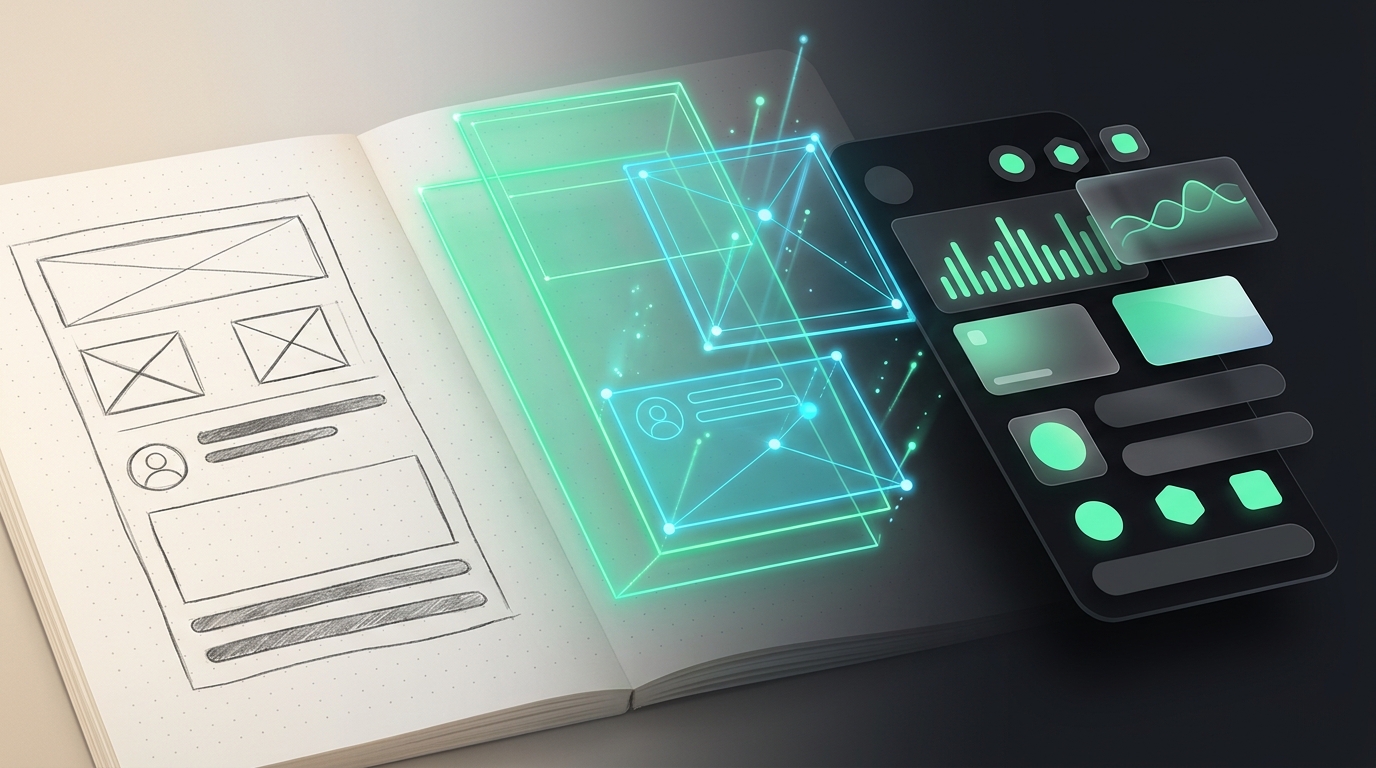
Sometimes drawing three boxes on dotted paper is ten times faster than explaining a spatial layout in words. Switch Stitch to Experimental Mode, click the attachment icon, and let Gemini Vision translate rough ink into polished UI and clean DOM structure.
3 Multimodal Upload Workflows Every Designer Should Master
Use dark felt-tip pen on plain or dotted paper. Draw clear bounding boxes, standard [X] image placeholders, and short section labels, then snap a well-lit overhead photo without harsh shadows.
Upload a screenshot of an existing app (or your legacy v1 product) and prompt: "Keep this information architecture, but redesign for a luxury veterinary clinic in warm sage and cream."
Point Stitch at your live marketing URL—or upload a brand style tile—to automatically extract colors, font mood, and button geometry into a reusable DESIGN.md system!
Image-Input Best Practices (Avoiding Misread Layouts)
| Input Type | Do This | Avoid This |
|---|---|---|
| Hand-Drawn Sketch | Crop tightly to a single screen frame (or clearly numbered frames) with bold marker lines. | Cursive margin notes, crossed-out scribbles, or angled perspective photos across two laptop monitors. |
| Existing App Screenshot | Tell Stitch explicitly what to keep (layout grid) vs. what to replace (industry, brand palette, data). | Uploading a screenshot with zero text prompt—Stitch won't know whether to modernize or clone it. |
"Turn this wireframe into a dark-mode podcast studio dashboard with emerald waveform cards and crisp tabular metrics."
5. Writing High-Precision UI Prompts & Mastering Themes
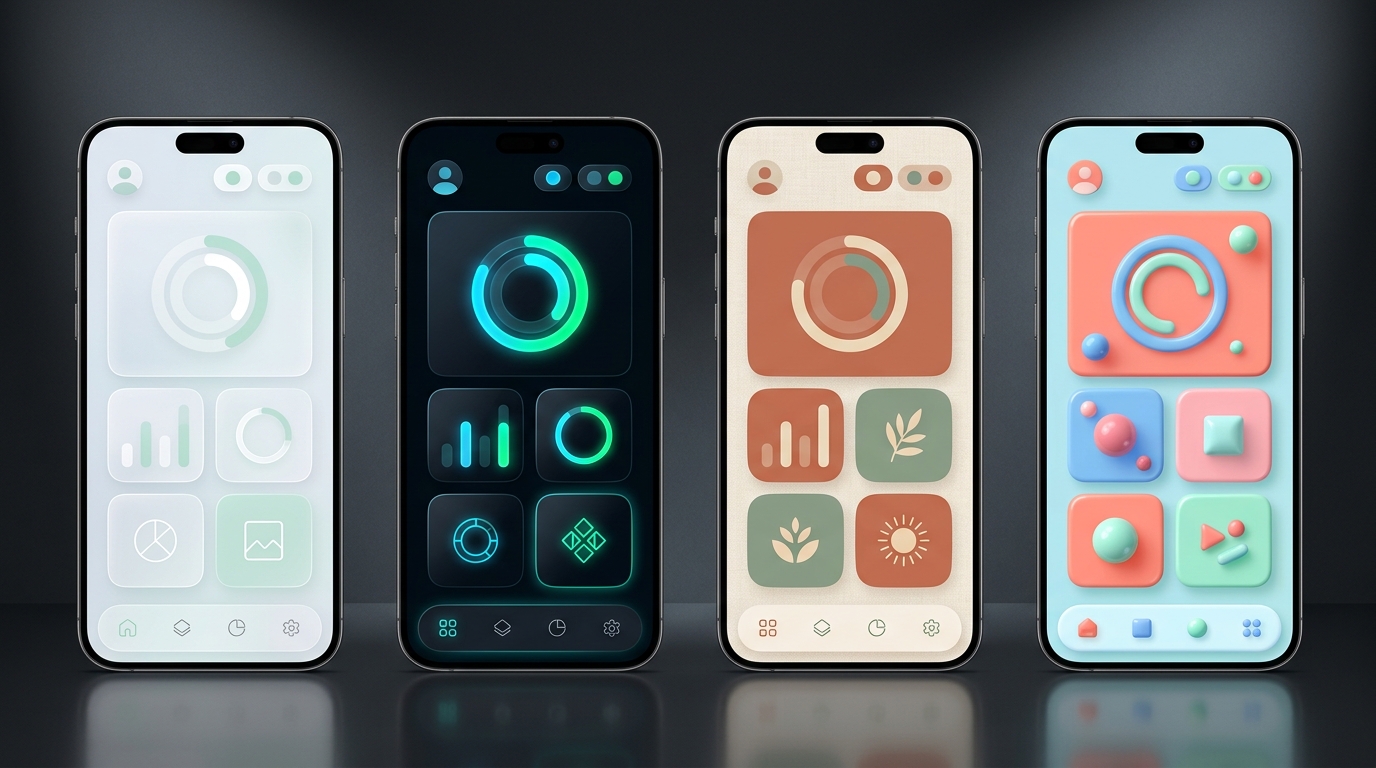
Vague prompts like "make a finance app" yield generic templates. Giving Stitch five structured ingredients produces agency-grade layouts—which you can then restyle across radically different aesthetics in one click.
The 5-Part Stitch UI Prompt Formula (Color-Coded Anatomy)
Stitch's 4 Global Theme Levers + Portable DESIGN.md
| Theme Control | How to Steer It Without Re-Generating Your Layout |
|---|---|
| Light / Dark Polarity | Flip the global sun/moon switch to test surface contrast, elevation shadows, and chart legibility in both modes instantly. |
| Primary Accent Palette | Pick a preset swatch or paste your exact brand hex (e.g., #10B981)—Stitch recalculates hover tints, badges, and chart fills automatically. |
| Typography Scale | Swap geometric sans (Inter, Plus Jakarta), editorial serif (Playfair, Instrument Serif), or technical mono (JetBrains Mono) globally. |
Border Radius & DESIGN.md |
Slide corner radius from architectural 0px sharp to 12px SaaS modern or 24px consumer pill—then export DESIGN.md so coding agents obey every token! |
6. Building Cohesive Multi-Screen Flows & Surgical Edits
Real software isn't one hero screen—it is an end-to-end journey. Stitch's infinite canvas and Agent Manager let you map 4 to 8 connected screens that share identical navigation chrome, spacing rhythm, and theme tokens.
The "Anchor First, Expand Second" Workflow (Best Consistency)
- Nail One Anchor Screen First: Generate your core Home Dashboard or Product Page first, explore 2–3 layout variants, and dial in your exact Global Theme palette, font, and radius.
- Expand the Flow From Your Anchor: Select that winning screen on the canvas and prompt:
"Using this exact design system and navigation bar, generate 3 connected screens: (1) Onboarding Sign-In, (2) Analytics Drill-Down, and (3) User Settings." - Link Interactive Hotspots: Toggle Stitch's Prototype / Live Mode to connect buttons across screens and click through the live user journey in your browser before writing a line of backend code.
Surgical Conversational Edits (Changing 10% Without Breaking 90%)
Click the specific screen or section first, then write a surgical delta: "Keep the header and KPI row untouched; replace only the bottom activity feed with a 5-row sortable invoice table with Paid/Pending status pills."
Want to test a bold new layout without risking your current favorite? Click Duplicate / Generate Variants on the canvas so Agent Manager explores 3 parallel options side by side while preserving your original frame.
7. Design-to-Dev Handoff: Paste to Figma & Clean Code
Stitch eliminates the dead-end "static mockup trap." Whether your next stop is a collaborative design critique in Figma or a live repository in Google Antigravity, your work travels with full structure intact.
- Select any screen (or multi-screen group) generated in Standard Mode.
- Click Copy to Figma in the top action bar.
- Open any Figma design file and press
Cmd + V(Mac) orCtrl + V(Windows). - Inspect your layers: Stitch creates real nested Figma Auto-Layout frames (horizontal/vertical padding & gap rules), editable text nodes, crisp SVG icons, and clean fill tokens!
Tip for Experimental Mode screens: Export the screen's HTML or live preview link and import via Figma's html.to.design plugin to preserve editable layers.
- Click any screen and open the
</> Codedrawer (or toggle Live Preview to test responsive resizing). - Copy or download the single-file HTML5 + Tailwind CSS bundle.
- What's inside: Semantic tags (
<nav>,<main>,<section>), clean Flexbox/CSS Grid classes, Google Fonts links, and zero absolute-positioned spaghetti! - Download
DESIGN.mdalongside your code to document every color, font, and spacing token for AI coding agents.
Choosing the Right Stitch Export Path for Your Team
| Export Format | What Gets Transferred | Best When You Need To... |
|---|---|---|
| Copy to Figma | Editable Auto-Layout frames, vector icons, text layers & fills. | Co-edit with product designers, attach to an existing enterprise Figma component library, or run stakeholder redlines. |
| HTML + Tailwind CSS | Responsive semantic DOM markup + Tailwind utility classes. | Drop directly into a prototype server, convert into React/Vue/Svelte components, or deploy an instant landing page. |
DESIGN.md File |
Structured Markdown design-system contract (tokens & UX rules). | Commit into your Git repo root so Google Antigravity, Jules, or Claude/Cursor enforce your exact aesthetic on every PR. |
| Stitch MCP Server | Live API bridge exposing all Stitch projects, screens & code. | Let Google Antigravity pull screens directly into Next.js, Flutter, or Swift projects with zero manual copy-paste (Page 11!). |
Cmd + V in Figma, select the pasted frame, verify your Google Font is installed locally, and click Create Component on repeated navbars and cards—you just turned a 20-second AI generation into a reusable design system!
8. 5 Copy-Paste Stitch Recipes for Mobile & Web Apps
Paste any of these five battle-tested prompts straight into Stitch—each is engineered with clear hierarchy, realistic domain copy, and crisp theme tokens so it renders cleanly on the very first run.
| App Blueprint | Target & Mode | Copy-Paste Stitch Prompt (Includes Layout, Data & Theme) |
|---|---|---|
| 1. SaaS AI Spend & Analytics Console | WebStandard / Exp |
"Design a B2B AI observability dashboard. Left collapsible icon+label sidebar; top header with workspace switcher and date-range picker; 4-card KPI row (Total Requests 4.2M, P95 Latency 310ms, Cache Hit 68%, Monthly Spend $1,840); wide stacked area chart of token usage by model; bottom filterable trace log table with status badges. Dark slate (#0B1120) theme, emerald (#34D399) accents, Inter + JetBrains Mono numbers, 10px radius." |
| 2. AI Fitness & Habit Coach | MobileStandard |
"Create a sleek iOS daily habit & workout tracker home screen. Top greeting 'Good morning, Maya' with streak pill '14 Days'; hero dual-ring progress card showing Move (620/700 kcal) and Mindfulness (15/20 min); 3 checkable habit tiles (Morning Hydration, 45m Strength, Read 20 Pages) with subtle progress bars; floating emerald '+' quick-log button and 4-tab bottom bar. Obsidian dark mode, electric mint accents, 20px rounded cards." |
| 3. Boutique Ceramic Storefront | WebExperimental |
"Design an editorial e-commerce product & collection page for handcrafted Kyoto ceramics. Minimal top nav with cart badge; split hero featuring asymmetric gallery grid on left and sticky buy box on right ('Kuro Glaze Pour-Over Set — $88', glaze swatch dots, quantity stepper, 'Add to Bag' button, care accordion); 3-column 'Complete the Table' cross-sell grid below. Warm alabaster (#FAF7F2), terracotta (#C25E3E) CTA, editorial serif headings." |
| 4. Personal Finance Bento Tracker | MobileStandard |
"Build a calm personal net-worth & budget mobile app. Clean header with month selector 'November 2026'; hero Safe-to-Spend card ($2,410 remaining of $4,000 budget) with smooth pace curve; 2x2 Bento grid for Checking, High-Yield Savings (+4.6% APY), Investments, and Upcoming Bills; bottom 'Recent Transactions' list with merchant icons. Crisp Nordic light mode (#F8FAFC), deep cobalt (#2563EB) accents, 16px radius." |
| 5. Creator Portfolio & Booking Hub | WebStandard / Exp |
"Design a product designer portfolio & paid advisory booking page. Availability pill ('2 Q4 Advisory Slots Open'); bold typographic intro headline; 2x2 interactive Bento case-study grid with metric tags ('+38% Checkout Conversion'); embedded 3-tier session booking strip (30m Critique $120, 60m Design System Audit $250, Async Review $95) with calendar time-slot pills. High-contrast monochrome with sky-cyan (#38BDF8) highlights." |
"Keep this exact DESIGN.md aesthetic and navigation chrome, and generate 4 companion screens: Empty State, Detail Drawer, Settings, and Checkout."
9. Elevating AI Mockups into Shippable, Accessible UX
Left unguided, any AI UI tool will happily pack twelve charts onto one phone screen or place pale mint text on a white button. Apply these four senior UX guardrails inside Stitch so your designs pass real engineering and accessibility reviews.
Every screen needs one unmistakable primary action and 3–4 content groups max. Include "generous 24px section spacing, progressive disclosure, and a single high-contrast primary CTA" in prompts to prevent cramped dashboard soup.
When using bright accents like mint (#34D399) or amber (#FBBF24), instruct Stitch: "Use dark obsidian text (#042F2E) on bright accent buttons for 7:1 WCAG contrast, and step dark cards cleanly from #0B1120 bg to #1E293B surface."
For Mobile targets, ask for "minimum 44x44px tap targets, 8px minimum gap between icon buttons, and primary actions anchored in the lower thumb zone"—critical before exporting to SwiftUI or Flutter.
Developers stall when designs only show sunny-day data! Ask Stitch to generate matching frames for: Zero-Data Empty State, Skeleton Shimmer Loading, Inline Form Error State, and Confirmation Toast.
Quick Audit: Turning "AI Demo Smells" into Production Polish
| Common "AI Mockup Smell" | 10-Second Conversational Fix Inside Stitch |
|---|---|
| 3 competing solid-colored primary buttons in one header | "Demote Export and Filter to subtle ghost/outline buttons; keep only '+ New Project' as a solid primary fill." |
| Fake placeholder labels ("Card 1", "Metric A", "Lorem ipsum") | "Replace all placeholder text with realistic veterinary clinic appointment names, pet breeds, and timestamps." |
| Tiny 10px captions & dense 7-column table on Mobile | "Convert this mobile table into a clean vertical stacked card list with 15px titles and right-aligned status pills." |
| Charts missing axis units, legends, or time toggles | "Add clear Y-axis dollar labels, a 7D / 30D / 1Y segmented pill toggle, and a hover tooltip callout on peak day." |
10. Power Pipeline: Design in Stitch, Ship in Antigravity
Pairing Google Stitch with your Google Antigravity & Jules setup creates Google's flagship end-to-end software factory: Stitch acts as your instant UX & design-system studio, Antigravity builds the real full-stack application via MCP, and Jules handles background verification.
How to Wire Stitch Directly Into Google Antigravity (3 Options)
- Option 1 — Live Stitch MCP Integration (Fastest): Open Stitch Settings → API / MCP, copy your key, and add the Stitch MCP server (plus optional
google-labs-code/stitch-skills) in Antigravity. Then prompt Antigravity:"Pull the 4 screens from my Stitch 'EV Charger' project, convert them into reusable Next.js App Router components obeying DESIGN.md, and wire Supabase auth." - Option 2 — HTML + Screenshot Dual Drop: Export Stitch's HTML/Tailwind zip into your workspace and drop the PNG preview into Antigravity's chat—Antigravity uses the exact Tailwind classes while verifying visual fidelity in its built-in browser agent!
- Option 3 — Delegate UI Polish & Regression Tests to Jules: Once your core app runs, tag Jules on GitHub to add skeleton loading states, dark-mode persistence, and Playwright end-to-end tests matching your repo's
DESIGN.md.
11. Troubleshooting Clinic & Pre-Flight Cheat Sheet
Keep this page handy alongside stitch.withgoogle.com—every common UI generation hiccup has a reliable 10-second fix.
Top 7 Google Stitch Issues & 10-Second Fixes
| Symptom / Problem | Root Cause & 10-Second Fix |
|---|---|
Copy to Figma button is grayed out or missing |
Screen was generated in Experimental Mode. Re-generate or branch in Standard Mode for native 1-click Figma paste, or import Experimental HTML via Figma's html.to.design plugin. |
| Sketch/wireframe upload icon isn't clickable | Workspace is currently set to Standard Mode text-only flow. Toggle the mode selector to Experimental (Pro) Mode to unlock multimodal sketch and screenshot attachments. |
| Editing one widget accidentally redesigned the whole screen | Prompt was sent globally without scoping. Click the specific screen/section first and prefix with: "Keep header, nav, and palette identical; update ONLY the..." |
| Multi-screen flow drifts in button shape or colors | Screens were prompted in separate unlinked sessions. Set your Global Theme Bar (accent, font, radius) on Screen 1 first, then select Screen 1 and ask Stitch to expand companion screens from it. |
| Generated screen feels overcrowded & claustrophobic | Prompt listed too many widgets for one viewport. Ask Stitch: "Increase whitespace and card padding to 24px; move secondary settings into a slide-over drawer." |
| Hand-drawn sketch produced weird floating boxes | Low-contrast pencil or angled shadow in photo. Retake flat overhead in bright light with dark marker boxes, and add a 1-sentence prompt naming each boxed zone. |
| Pasted Figma text wraps slightly differently | Missing local Google Font in Figma Desktop. Install the matching Google Font (e.g., Plus Jakarta Sans or Inter) or select all and apply your team's Figma text style. |
Mobile vs. Web First before typing a word.Standard = Figma/speed; Exp = sketches).DESIGN.md + MCP straight into Google Antigravity!https://stitch.withgoogle.com, sketch a rough flow or paste Recipe #1, dial in your Global Theme tokens, paste Auto-Layout frames into Figma, and connect Stitch MCP inside Google Antigravity to bring it to life!